
Teaching kids how to code doesn’t have to start with a screen. In fact, for many children—especially younger ones—learning the foundations of coding works better when it’s hands-on, physical, and interactive.
Screen-free coding toys are designed to introduce core programming concepts like sequencing, logic, loops, and problem-solving through real-world play. Instead of tapping and swiping, kids build, move, test, and fix—just like real programmers do.
In this guide, we’ve carefully selected the best screen-free (and low-screen) STEM toys that teach coding in an engaging, age-appropriate way. Whether you’re buying for a preschooler or a growing problem-solver, there’s something here for every stage.
Why Screen-Free Coding Matters
Screen-based coding tools can be useful, but too much screen exposure—especially at an early age—can limit attention, creativity, and hands-on exploration. Screen-free coding toys address this by making learning physical and interactive.
Key advantages include:
- Hands-on learning that builds real understanding
- Active engagement instead of passive screen time
- Improved focus, patience, and logical thinking
- Strong problem-solving and cause-and-effect skills
- A healthier balance between digital skills and real-world play
Most importantly, kids stay motivated because they’re doing, not just watching.
Our Top Picks for Screen-Free Coding Toys
1. Learning Resources Botley 2.0
Age Range: 5–9
Why It Stands Out:
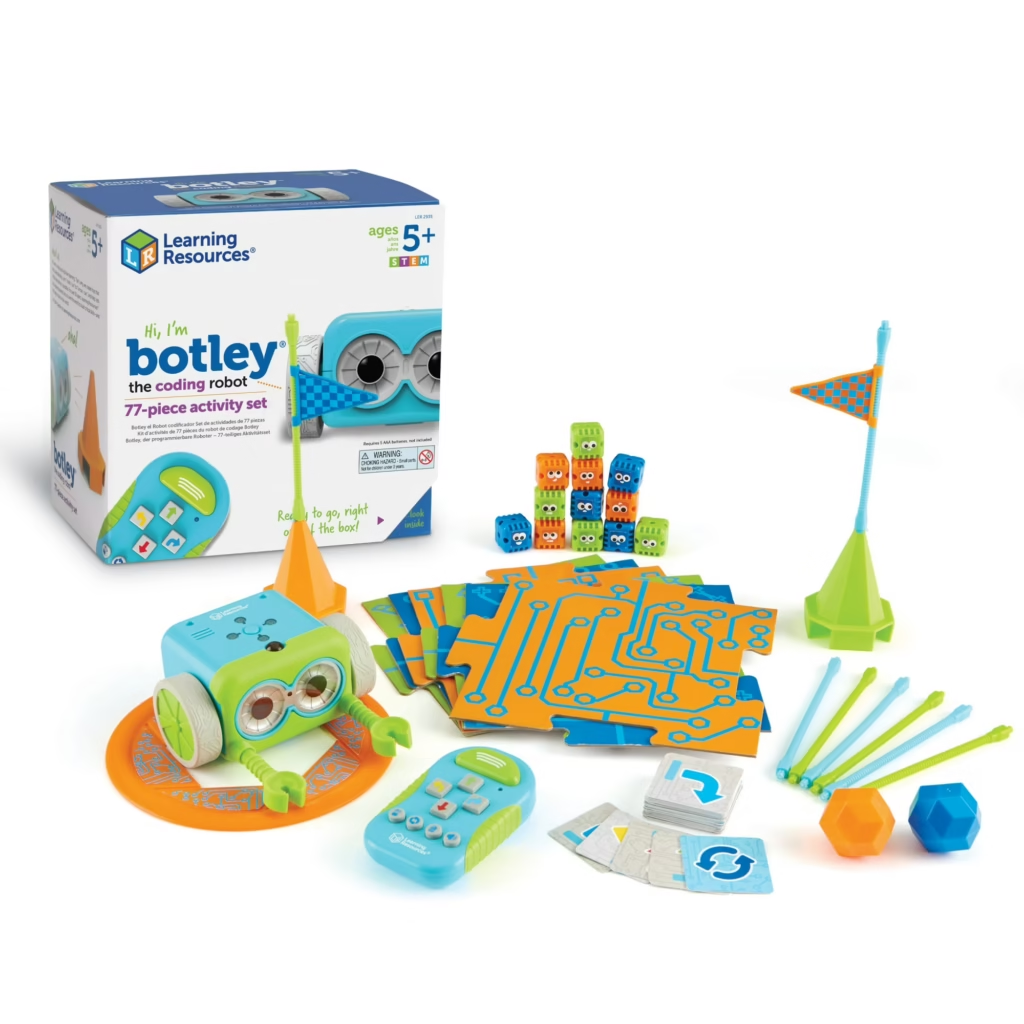
Botley 2.0 is a fully screen-free coding robot that children program with a simple remote controller—no apps, tablets, or phones needed. Kids learn sequencing, loops, and conditional logic as they guide Botley through obstacle courses, line-following paths, and interactive challenges. The new version also features hidden sensor games, light effects, and programmable tricks that grow with your child’s skills.
Learning Benefits:
- Introduces foundational coding concepts without a screen
- Encourages logical thinking and problem-solving
- Promotes creativity through maze-building and obstacle challenges
Why Kids Will Love It: Botley moves, reacts, and surprises, making coding playful and tangible.
Recommended For: Children ready to explore real programming logic and hands-on robotics.
Buy on Amazon2. MatataStudio Coding Set (Screen-Free Coding Robot)
MatataStudio Coding Set (Screen-Free Coding Robot)
Age Range: 4–9
Why It Stands Out:
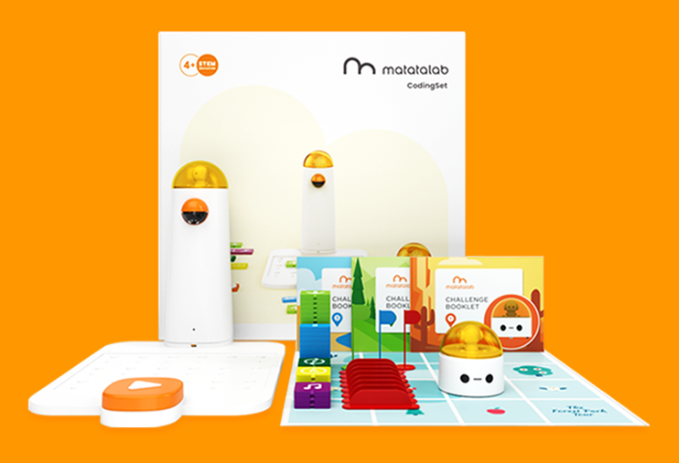
The MatataStudio Coding Set is a completely screen-free programming system that teaches real coding logic through physical interaction. Instead of using apps or tablets, children place coding blocks onto a control board to create instructions. The robot then reads the sequence and executes the commands on a themed play mat.
Kids can program movement, direction, loops, music, and even simple functions by arranging tangible coding tiles. The system grows with the child’s ability, starting with basic sequencing and progressing into more advanced computational thinking skills.
Because everything happens physically—placing blocks, testing, adjusting, and debugging—it keeps children actively engaged without relying on screens.
Learning Benefits:
- Introduces sequencing, loops, and basic functions
- Teaches cause-and-effect programming logic
- Encourages debugging and iterative problem-solving
- Strengthens spatial awareness and planning
- Builds strong computational thinking foundations
Why Kids Will Love It:
Watching the robot follow the exact path they designed gives children a powerful sense of control and accomplishment. The hands-on tile system makes coding feel like building a puzzle rather than writing instructions.
Recommended For:
Children who are ready to move beyond simple directional commands and explore structured coding concepts in a completely screen-free way.
3. Osmo Coding Awbie (Hybrid Option)
Age Range: 5–10
Why It Stands Out:
Osmo Coding Awbie blends physical coding blocks with limited screen interaction. Kids snap blocks together to move an on-screen character, learning logic, sequencing, and problem-solving through tactile play. This hybrid approach reduces screen time while maintaining immediate visual feedback, bridging the gap between unplugged and digital coding.
Learning Benefits:
- Combines hands-on coding with visual learning
- Teaches sequencing, loops, and conditional thinking
- Enhances problem-solving and spatial reasoning
Why Kids Will Love It: They see immediate results on screen, which keeps them motivated to experiment and iterate.
Recommended For: Children ready for low-screen coding experiences that combine physical play and visual feedback.
Buy on Amazon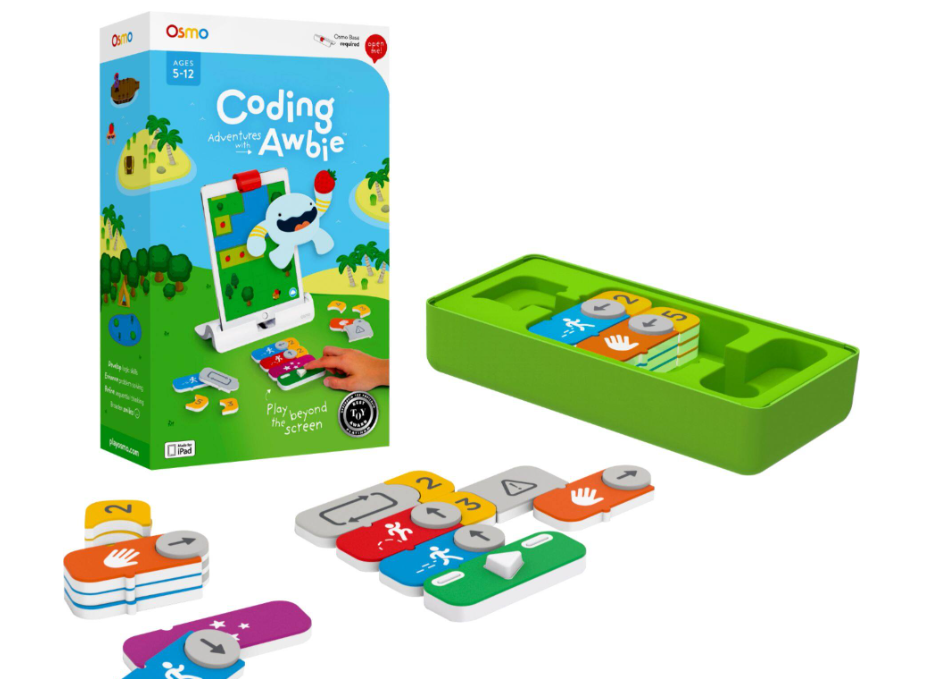
4. Code & Go Robot Mouse by Learning Resources
Age Range: 4–7
Why It Stands Out:
Kids program “Maurice” the mouse to navigate self-built mazes using simple button commands. This toy introduces sequencing, debugging, and cause-and-effect thinking in a playful, approachable way. Building new mazes adds endless variation and creativity, making coding concepts tangible and fun.
Learning Benefits:
- Reinforces early computational thinking
- Encourages planning and iteration through trial and error
- Develops spatial reasoning and problem-solving skills
Why Kids Will Love It: Maurice moves through mazes they design, offering hands-on excitement with each successful run.
Recommended For: Young beginners taking their first steps in logical thinking and coding.
Buy on Amazon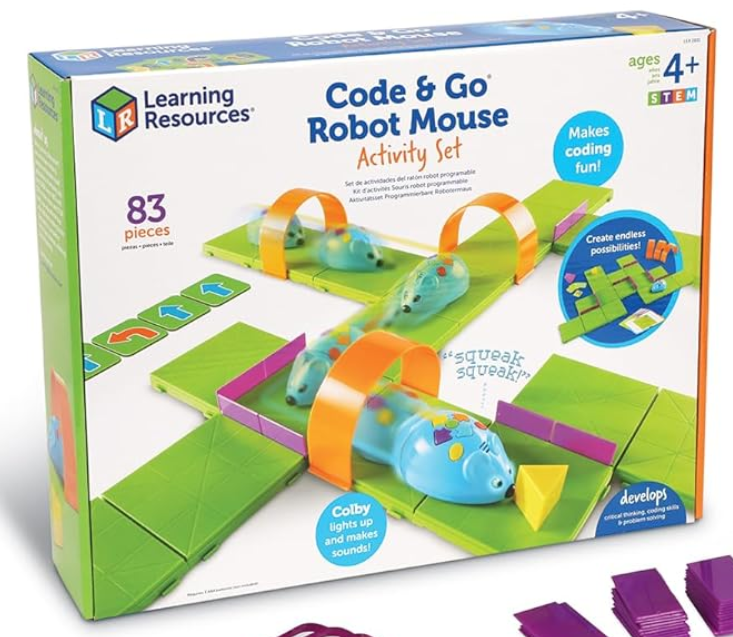
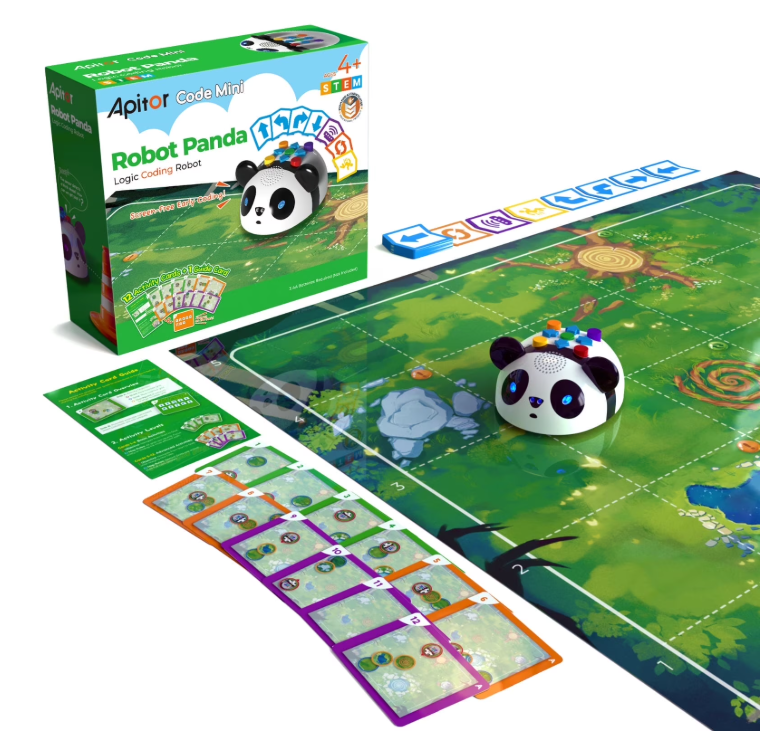
5. Robot Panda – Coding Robot for Kids (Screen-Free)
Age Range: 4–8
Why It Stands Out:
Robot Panda is a completely screen-free coding robot designed to introduce young children to foundational programming concepts through hands-on interaction. Instead of using apps or tablets, kids create sequences using physical coding cards that the robot scans and executes.
Children arrange command cards to control movement, direction, sounds, and simple actions. Once scanned, the robot follows the programmed path step-by-step, reinforcing the relationship between instructions and outcomes.
Its playful panda design makes the learning experience friendly and accessible, while still introducing structured coding logic in a tangible way.
Learning Benefits:
- Teaches sequencing and step-by-step programming
- Introduces cause-and-effect logic
- Encourages debugging through trial and adjustment
- Strengthens spatial awareness and planning skills
- Builds early computational thinking foundations
Why Kids Will Love It:
Watching the panda move exactly according to the command cards they arranged gives children an immediate sense of accomplishment. The character-based design keeps coding fun, interactive, and imaginative.
Recommended For:
Young learners ready to explore structured coding concepts without screens, especially those who enjoy interactive robotics and hands-on STEM play.
Tips for Parents: Getting the Most Out of Screen-Free Coding Toys
- Start with sequencing: Direction and order come before loops and conditions.
- Ask kids to explain their thinking: Verbalizing their “code” strengthens understanding.
- Play together: Many of these toys work best as shared activities.
- Connect coding to everyday life: Cooking, cleaning, and routines all follow sequences—point it out.
Small interactions like these deepen learning without making it feel instructional.
Final Thoughts
Coding doesn’t begin with a keyboard—it begins with thinking. Screen-free coding toys give children a powerful foundation by teaching logic, sequencing, and problem-solving through physical play.
If your goal is to limit screen time while still building future-ready skills, these unplugged STEM toys offer a thoughtful, effective starting point.
Coding can start with blocks, boards, and robots—long before the first screen ever turns on.